Showing posts with label ict. Show all posts

Friday, 26 June 2009

Make (don't watch) videos - (End-of-year Series Pt. 2)

End-of-year videos become boring for students, they traipse from classroom to classroom like they are in one great big cinema. The act of watching films is good once around but after a while they start to act like they are stuck on a never-ending plane ride and I don't blame them.

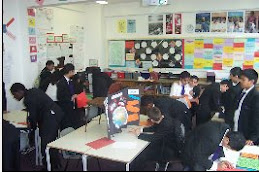
To be alternative get hold of a video camera and get them to make their own films. I had one video camera for an entire class of Year 9 boys. I gave them one hour, the camera and told them to make an educational video about STIs (we'd been covering sex ed). They came back with the most incredible - already edited on the camera - movie. Some parts are factually inaccurate but the narrative is there and they are savvy with their use of shots and editing. I now use the movie in other lessons to see if students can spot the mistakes.

Another example is from a few years ago when students made a video about knife crime. This took slightly longer but this one is allowed to be on youtube so you can see their work.

Wednesday, 24 June 2009

Website of the Week; Dustball Checker*

Many classes I teach are graded solely on coursework. With the internet so readily available students will occasionally turn to 'cutting and pasting' when they have left assignments to the last minute, or if they don't understand the work. Clamping down on this has been one of my goals this year.

The Dustball Plagiarism Checker is a brilliant tool for doing this. On the first page you copy and paste student work into the box. It seems to carry any amount of text and even if the original document has pictures it works around them.

After this, hit the 'check' button and a new page will pop up with a selection of sentences and the verdict - 'ok' or 'suspected plagiarism'

Finally, and this is my favourite bit, by clicking on the 'possible plagiarism' bit you get taken to a google page showing the websites. You are then able to present the sudent with the website that the text was taken from. It's also worth checking these as sometimes there are a LOT of hits with the same sentence - in this case, it's simply that the topic means a student is likely to write that combination of words. If there's only one hit returned, and it matches a lot of the work, then it's likely to be plagiarism.

* A quick note: All of the websites I write about are genuinely ones I use in my classroom - they are not sponsored links or anything like that. I write about them mostly so I have a quick place to get the link from. This does mean that some weeks I won't write about websites because I don't have any new ones.


Wednesday, 27 May 2009

Website of the Week: Folder Lock & Drop.io

The inevitable finally happened. I lost my memory stick. And not just a stick, it was my 40gb external hard-drive that I have lovingly carted around for the last four years. I've been in denial for the last 3 months but acceptance has now stepped in. It's lost.

Sensibly most of the work is backed-up but my concern is the material on the memory stick. Grades, personal documents and student letters. Again, I'm reasonably cautious about the material I have on my drive but I was still concerned.

So, my new stick/drive is using Folder Lock, a free encryption programme that works on USB sticks. It does need to be downloaded so I can't use it on school computers, but I have put it onto my school laptop and will only be transferring files from that.

Equally, I've become a big fan of keeping files online rather than on a memory stick. www.drop.io is possibly one of the best applications I've ever come across. It gives you a 100mb drops for free, meaning it's big enough for almost all documents. And it's fast too - way faster than uploading documents to email.


So, try them out and if you happen to see a blue and silver hard drive with 'L.McInerney' sharpie-d onto the side please drop me a line!

Wednesday, 22 April 2009

Website of the Week: Trouble Getting Students to Listen? Use Oddcast!

Struggling to get students quiet and listenting is a daily battle for most new teachers. You've tried counting down, you've threatened detentions, you've even wrote the work on the board to see if they will start without verbal prompting and yet you are still being ignored. What to do?

A colleague of mine noticed that students listened to recorded instruction -- even when it was of her own voice -- much better than they would listen to her in person. Using an old tape-recorder stolen from the Languages department she would tape instructions and play them on a cassette player. It worked! At least until the novely wore off....

Recently I came across Photoface Oddcasts. This software easily injects novelty into recorded instructions. Simply upload a photo of a face (I used mine in the trial but I expect celebrities would go down well with students), write what you would like it to say and 'send' to yourself. The result is a photo that 'speaks'.

In the example below I am reading Benjamin Zephaniah's poem "The British". This was used as a word-gap exercise. Students had a sheet with the poem on and had to write in the missing word from the recorded instructions. (Again, this idea is thanks to Catriona). Try it and see what you think!

PS - Yes, it does make your face look scary - but that's half the fun!

Wednesday, 15 April 2009

Website of the Week: Strip Generator

Strip Generator is a free online comic-strip maker that helps create fun resources. Using the website's ready-made figures and icons you can quickly make clear diagrams showing students how complete tasks. It's super-simple, as you simply copy-and-paste your new picture into powerpoint or a word document. This supports visual and EAL learners brilliantly.

For example, here's one I included in a lesson about University Aspirations:

Or try adding the names of students in your class for further interest at the start of your lesson....

I use these on worksheets, for starters, plenaries, instructions and -- in the future -- I plan to get students to create them in lessons to explain concepts. Just think, cartoons explaining a scientific investigation or a timeline of historical events!
http://www.stripgenerator.com/